Step : 1 Open my computer and go to property by right clicking .Then click on remote settings .

Step:2 .Check the radio button "Allow remote connection to this computer" as shown below

Step :3 .Click on select users button

Step 4: Add new user by clicking on Add button as shown below

Step :5 .Click on advance option

Step :6 Find user connected to local Area Network

Step :7 Scroll then item and find "Everyone" option as show following

Step 8 :Make sure to check the item as shown in below image and then click on apply to save

Step 9 :Now go to control panel > system security and find the button "allow an app through windows firewall "

Step 10 .Click on "change setting" button to enable checkboxes for edit

Step:11 . Ckeck the option as shown in following image .
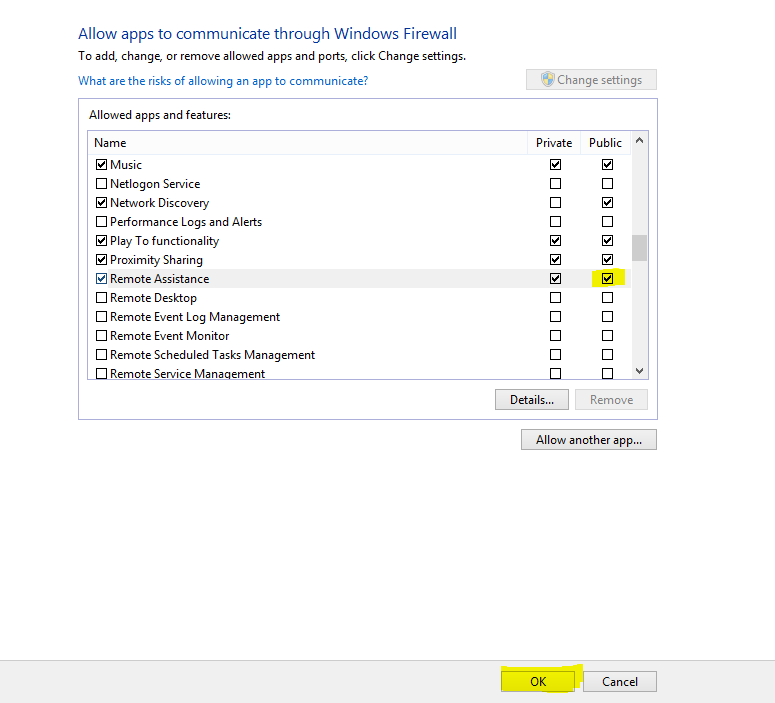
Step :12 , You are done
